

The practical default for distributed teams is a cloud VoIP or unified communications platform with softphone apps and local number provisioning. It suits support and sales teams, and small to medium businesses juggling staff across multiple sites or home offices. Before you sign anything, run a basic internet readiness check and list every system you need it to talk to, your CRM, helpdesk and calendar included.
TL;DR:
- Cloud-native VoIP platforms offer the fastest deployment and greatest scalability, especially suitable for fully remote or hybrid teams.
- Essential features include cross-device softphones, smart call routing, local number portability, and CRM integrations, while lesser-used features can be deprioritized.
- A network readiness test and a staged pilot with clear success metrics are critical before full deployment, as connection quality impacts call reliability.
- Choosing a provider requires evaluating SLAs, porting timelines, security certifications, and support, avoiding long contracts without trial periods.
- Continuous monitoring of call volume, wait times, and quality metrics helps optimize system performance and ensures quick resolution of issues.
Table of Contents
- What is a remote work phone system?
- Cloud, virtual or hosted: which deployment model fits?
- Which features actually matter for remote teams?
- How do you set up and deploy a remote phone system?
- How do you choose the right provider?
- Why is my remote phone system dropping calls?
- How does a professionally supported platform solve these problems?
- What security practices and certifications should you require?
- How do you train remote teams to actually use the system?
- How do you scale the system as your remote team grows?
- How do you monitor and improve phone system performance?
- What I’d actually prioritise first
- Vadacom: a direct option worth trialling
- Sources
What is a remote work phone system?
A remote work phone system is a cloud-hosted platform that routes calls over the internet rather than through copper wires or an office switchboard. Staff make and take calls through a softphone app on a laptop or mobile, a browser window, or a desk phone connected to the same network, wherever they happen to be sitting. The number stays fixed to the person or team, not the desk.
Under the hood, three things are doing the work. Voice traffic travels as data packets using VoIP (Voice over Internet Protocol), which is why call quality depends heavily on your internet connection rather than a physical phone line. When a call needs to reach or come from a traditional landline or mobile number, a SIP trunk acts as the gateway between the internet and the public telephone network. And a cloud PBX, the modern replacement for the physical switchboard bolted to an office wall, handles call routing, voicemail, extensions and call transfer from a data centre instead of a server cupboard.
Three components make up almost every serious system:
- Softphone apps — the software client on desktop or mobile that replaces a physical handset, letting anyone answer the business line from anywhere with a signal.
- Cloud PBX — the central brain that manages call flows, IVR menus, hold music, voicemail and extension dialling without on-site hardware.
- SIP trunking and number provisioning — the mechanism that connects your cloud system to the phone network and supplies local, toll-free or international numbers.
The distinction matters because a lot of buyers still picture “phone system” as a box in a server room. What you’re actually buying now is a subscription to infrastructure someone else maintains, patches and keeps running when the power drops at your office but not at theirs.
Cloud, virtual or hosted: which deployment model fits?
Three deployment models dominate the market, and picking the wrong one is the single most common procurement mistake business owners make. Cloud-native VoIP and unified communications as a service (UCaaS) platforms run entirely in the provider’s infrastructure. You get software, apps and admin dashboards, with no physical PBX hardware anywhere in the mix. This is the fastest to deploy and the easiest to scale, which is why it’s become the default for teams that formed remotely or expanded past a single office.
Virtual number services sit a rung below that. They give you a phone number, forwarding rules and basic voicemail, often as a lightweight add-on to a mobile plan rather than a full communications platform. They work for solo operators or very small teams that mainly need a professional-sounding number, not call routing, IVR or team collaboration tools.
Hosted or hybrid PBX splits the difference. Some call handling and hardware stay on-premises (often to satisfy a compliance requirement or use existing desk phones), while the rest, voicemail, mobility features, remote extensions, run in the cloud. This suits regulated businesses or organisations with heavy legacy investment in physical infrastructure they’re not ready to write off.
Here’s how the trade-offs actually break down:
- Cloud-native VoIP/UCaaS: fastest deployment, lowest hardware cost, best fit for fully remote or hybrid teams, weakest fit if you have strict data residency rules tied to on-site infrastructure.
- Virtual number services: cheapest and simplest, but limited routing, integrations and scalability, fine for a sole trader, wrong for a 20-person support desk.
- Hosted/hybrid PBX: more control and compliance flexibility, but slower to deploy and typically requires ongoing IT involvement to maintain the on-premises piece.
The pattern to notice is that speed-to-deploy and control tend to move in opposite directions. Every dollar saved on the hardware side of hybrid PBX usually gets spent later on IT hours; every hour saved on cloud-native setup usually means giving up a layer of on-site control most businesses never needed anyway.
Which features actually matter for remote teams?
Feature lists from providers all look similar until you strip out the marketing gloss and ask what a distributed team genuinely uses daily. Verizon’s One Talk and Business Digital Voice products, for example, bundle in more than 50 calling features across desktop and mobile apps, but most businesses lean on a much smaller working set.
Prioritise these in order:
- Cross-device softphones: staff need the same number and call history whether they’re on a laptop, a mobile app or a desk phone, with calls handing off cleanly between them.
- Smart call routing and IVR: skill-based routing sends a billing query to the right person automatically instead of bouncing it through three transfers.
- Local number provisioning and portability: local caller ID can lift answer rates by up to 40% on outbound calls compared to unfamiliar or international-looking numbers, and you’ll want the ability to port existing numbers in and out without losing continuity.
- Integrations: your phone system should talk to the CRM, helpdesk and collaboration tools your team already lives in, not sit as an island app nobody opens.
- Call recording and analytics: essential for training, dispute resolution and quality assurance, and often a compliance requirement in regulated industries.
- Security controls: encryption in transit, multi-factor authentication for admin access, and role-based permissions so a junior staffer can’t reroute the entire call queue by accident.
- Multi-carrier resilience: automatic failover to a backup carrier or PSTN fallback if the primary internet path drops.
Pro Tip: Ask any shortlisted provider to demonstrate failover live during the demo, not describe it in a slide. If they can’t show a call surviving a dropped connection, assume it doesn’t happen smoothly in production either.
Don’t let a long feature checklist distract from the four or five things your team will actually touch every shift. A support team cares about routing and integrations. A sales team cares about local numbers and CRM logging. Buy for the job, not the brochure.
How do you set up and deploy a remote phone system?
Deployment success comes down to three things most teams underestimate: internet quality, hardware decisions, and how realistic your timeline actually is.
- Test your network before you commit. VoIP call quality depends on stable upload and download speeds, low latency and minimal jitter, not just “having broadband.” A simple readiness test (most providers offer a free one) checks whether your connection can carry concurrent calls without dropouts. VoIP services generally deliver better call quality than analogue lines at a lower cost, but only when the underlying connection is up to the job.
- Decide softphone-first or desk-phone-first. Softphone deployments are cheaper, faster to roll out and easier to update, since there’s no hardware to ship or configure, but they demand more attention to device security and staff training on the app itself. Desk phones feel more familiar to long-tenured staff and work well in a shared office, but they add cost and slow down remote onboarding.
- Handle number provisioning and porting early. Porting an existing business number across providers can take anywhere from a few days to a few weeks depending on your current carrier and country, so start this process before your target go-live date, not after.
- Plan mobile connectivity for field or travelling staff. Remote and hybrid workers who move between locations benefit from a data-first fallback. An eSIM setup is one practical option worth exploring, particularly for staff who split time between countries or regions. Lumo eSIM Store’s field guide covers the practical side of setting this up.
- Set a realistic onboarding timeline. Many cloud phone providers can get a small team taking calls in under 24 hours, but full rollout, training, integration setup, and testing routing rules properly, usually takes one to three weeks for a team of any real size.
Change management matters more than the technology here. Staff who’ve used a physical handset for a decade need a short, hands-on session on the softphone app, not a link to a help article.
How do you choose the right provider?
Evaluate providers against five criteria and refuse to let a slick demo distract you from any of them: pricing model, service level agreements (SLAs), onboarding support, integration depth, and compliance posture.
On pricing, expect a per-user, per-month structure. Entry-level plans in the market start around $25 per user, with the total climbing as you add call recording, advanced analytics, international numbers or AI-driven features. Ask exactly which features sit behind each pricing tier before you compare quotes, since two providers quoting similar headline prices can differ sharply once add-ons are factored in.
Take a short list of demo questions into every vendor call:
- What’s the guaranteed uptime SLA, and what compensation applies if it’s breached?
- What happens automatically if our primary internet connection drops mid call?
- How long does number porting typically take, and what’s the process if it goes wrong?
- Can you demonstrate the CRM or helpdesk integration live, not just describe it?
- What security certifications do you hold, and where is call data stored?
- What does onboarding support actually include, self-serve documentation or a dedicated setup contact?
Watch for a few red flags in the sales process itself. A provider that won’t commit to a written SLA, that can’t answer porting timeline questions specifically, or that pushes you toward a long contract before offering any kind of trial, is telling you something about how they’ll behave once you’re locked in. The strongest signal of confidence a vendor can give you is a short, staged pilot with clear success metrics agreed upfront, not a glossy sales deck.
Why is my remote phone system dropping calls?
Most call quality complaints trace back to one of four points in the chain: the device, the local network, the ISP connection, or the provider’s own infrastructure. Work through them in that order rather than assuming the worst first.
Start with the device: outdated softphone app versions, background bandwidth hogs (large cloud backups running mid call), or a cheap headset are common culprits nobody checks first. Then look at the network. SIP ALG (Application Layer Gateway), a setting on many consumer and small-business routers, is a frequent cause of one-way audio or dropped calls because it interferes with how VoIP traffic negotiates its connection. Disabling SIP ALG on the router, and confirming NAT (Network Address Translation) settings allow the right ports through, resolves a large share of these issues without any provider involvement at all.
If the network checks out, test the ISP connection itself for packet loss and jitter during business hours, since congestion at peak times is common in shared residential connections. Only after ruling out device and network should you escalate to the provider.
For continuity, insist on:
- PSTN fallback that reroutes calls to the traditional phone network if internet connectivity fails entirely.
- Mobile failover so calls redirect to a staff member’s mobile number automatically during an outage.
- Documented emergency routing so 111 or equivalent emergency calls always resolve correctly regardless of which path the system is using.
Pro Tip: Keep a simple written escalation checklist for your team, device restart, router SIP ALG check, ISP status page, then provider support ticket. It turns a stressful outage into a five-minute fix nine times out of ten.
How does a professionally supported platform solve these problems?
Everything above points to one conclusion: the gap between a phone system that works and one that constantly generates support tickets usually comes down to the strength of the operational backbone behind it, not the length of the feature list on the pricing page.
Vadacom’s cloud telephony platform is built around that operational reality. Voice and video calling, call transfer, voicemail, in-app recording and configurable IVR call flows sit alongside web meeting and collaboration tools, so teams aren’t stitching together three separate subscriptions to cover the basics. The platform runs on resilient cloud infrastructure, which matters directly to the failover and continuity questions raised earlier in this guide.
Self-service administration is the other piece worth calling out. Rather than raising a support ticket and waiting for a change to routing rules or extensions, teams can adjust their own call flows in real time as staffing or hours shift, a genuine advantage for a business that reorganises support rosters weekly rather than annually. Combined with local support and a cost-effective approach to pricing, Vadacom’s platform is built specifically around businesses that need to stay adaptive without sacrificing the resilience a distributed team depends on.
What security practices and certifications should you require?
Security for a remote phone system starts with encryption. Voice traffic should be encrypted in transit using protocols like SRTP and TLS, so calls can’t be intercepted as they cross the public internet between a home office and the provider’s servers. Ask any shortlisted vendor to confirm this explicitly rather than assuming it by default.
Access control matters just as much as encryption. Multi-factor authentication on admin accounts should be non-negotiable, given that a compromised admin login can expose call recordings, voicemail and routing rules for the entire business. Role-based permissions limit the damage further: a receptionist shouldn’t have the same system access as an IT administrator.
Data residency and retention policies deserve a direct question in procurement, particularly for businesses handling sensitive customer information through call recording. Ask where recordings and call metadata are stored, how long they’re retained by default, and whether you can set your own retention or deletion schedule.
Certifications worth asking about include ISO 27001 for information security management and SOC 2 for service organisations handling customer data, though not every provider in this space holds both. Treat the absence of any recognised certification as a legitimate question to raise in a demo, not a dealbreaker on its own, since smaller regional providers sometimes rely on their cloud infrastructure partner’s certifications instead of holding separate ones.
How do you train remote teams to actually use the system?
Adoption fails more often from poor training than from bad technology. The most common mistake is sending a help-centre link and assuming staff will figure it out between calls.
Run a short, live session, even fifteen minutes over video, that walks through the exact daily tasks: answering on the softphone, transferring a call, checking voicemail, and setting availability status. Watching someone do it once beats reading ten steps in a document. Follow with a one-page cheat sheet covering only the actions your team uses weekly, not the full feature manual.
Nominate a floor champion, one comfortable staff member per team who fields the small questions (“how do I mute?”) so they don’t all land on IT. Businesses that skip this step tend to see a spike in support tickets in the first fortnight that has nothing to do with the software itself and everything to do with unanswered small questions.
Finally, revisit training thirty days after go-live, not just on day one. New starters joining later need the same onboarding, and habits that didn’t stick the first time often need a second, shorter reinforcement session once people have used the system enough to know what confuses them.
How do you scale the system as your remote team grows?
Scaling a cloud phone system is mostly a licensing and structure question, not a technical one, which is precisely why cloud-native platforms have an advantage over hardware-based PBX as headcount grows. Adding a new remote hire typically means adding a licence and assigning a number, a process that takes minutes rather than the days or weeks a physical PBX expansion once required.
The planning that matters happens around call flow structure, not seat count. As teams grow past a handful of people, flat routing (every call rings everyone) stops working and needs replacing with department-based queues, skill-based routing, or time-of-day rules that reflect actual shift patterns. Revisit your IVR menu at each growth milestone too. A menu built for five staff answering everything themselves often becomes confusing once you’ve got separate sales, support and billing teams.
Multi-site or multi-location businesses need particular attention here. A phone system for multiple locations should let you assign local numbers per site while still routing overflow calls to whichever team has capacity, so a customer calling one branch doesn’t sit on hold if another branch is quieter. Budget for this structural work explicitly. It’s cheap to add a seat, but restructuring call flows properly for a bigger team takes planning time your operations manager should schedule, not squeeze in.
How do you monitor and improve phone system performance?
Most cloud platforms expose usage analytics by default. The mistake is not checking them until something goes wrong.
Track call volume by time of day and day of week to spot where staffing doesn’t match demand. A support queue that peaks at 9am on Mondays but has the same roster all week is a scheduling fix hiding in plain sight. Average wait time and abandonment rate together tell you whether callers are giving up before reaching anyone, a leading indicator of lost business that’s easy to miss if you only look at calls actually answered.
Call recording review, sampled rather than exhaustive, remains one of the most useful quality tools available. Listening to a handful of calls weekly surfaces training gaps a dashboard number never will. Pair that with per-agent or per-team metrics on call duration and resolution, used to coach rather than punish, since raw duration alone can penalise thorough staff unfairly.
Set a simple monthly review habit: fifteen minutes checking the same four or five metrics, volume trends, wait times, abandonment, and a recording sample, catches drift in service quality long before customers start complaining about it.
What I’d actually prioritise first
If you take one thing from this guide, make it the network test. Everything else, features, integrations, provider choice, is negotiable and reversible. A shaky connection isn’t.
Run a staged pilot with a small group, set concrete success metrics (call drop rate, staff feedback, integration reliability) before you start, and don’t sign a full rollout until those metrics hold up for a couple of weeks. Integrations and connection quality decide whether a system gets used properly or quietly resented.
— Stuart
Vadacom: a direct option worth trialling
This platform gives you the resilience and support most of this guide has been arguing you need, without asking you to become your own telecoms engineer. The platform combines cloud voice and video calling, configurable call flows, in-app recording and web meeting tools in one subscription, backed by resilient AWS-hosted infrastructure and local support when something needs a human, not a chatbot.
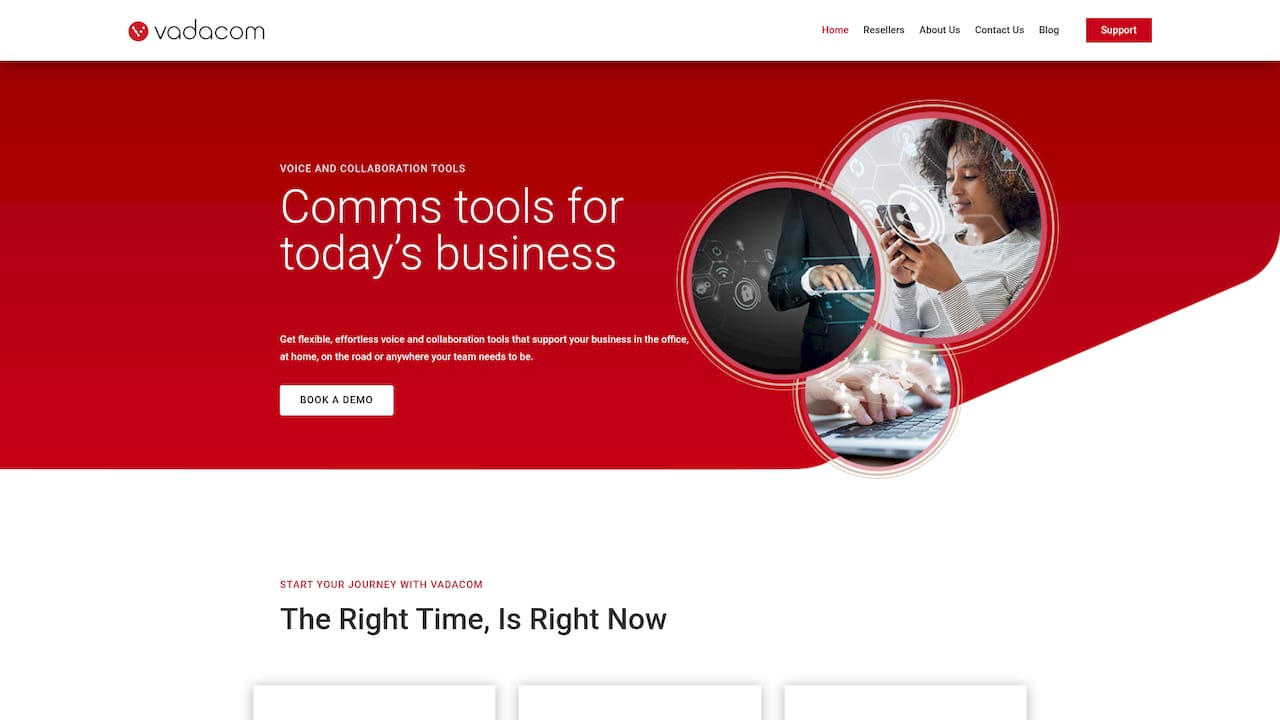
What sets it apart against the criteria covered earlier is the self-service administration model. When your team restructures, adds a new hire, or needs a routing rule changed at short notice, you make that change yourself in real time rather than waiting on a support ticket to work its way through a queue. That control, paired with straightforward local support, is what businesses cite when they talk about the savings and service it delivers.
If you’re weighing up a remote work phone system against the checklist in this guide, the practical next step is to see it running with your own numbers and call flows. Visit Vadacom’s homepage to arrange a walkthrough of the platform for your team.