

A browser based phone is a WebRTC endpoint that lets you make and receive voice calls from a modern browser, with no native app required. It suits remote teams, unified communications setups and click-to-call widgets on websites. It requires a secure HTTPS connection and explicit user permission to access the microphone.
TL;DR:
- A WebRTC browser phone requires a secure HTTPS connection and user permission for microphone access to function properly.
- Deploying and maintaining self-hosted solutions involves significant operational costs, including TURN server capacity, certificate management, and monitoring.
- WebRTC calls rely on ICE for NAT traversal, which makes TURN servers critical, especially for mobile networks and firewalled environments.
- Browser phones do not guarantee emergency call reliability during power or internet outages and should be supplemented with backup options for 111 services.
- Managed platforms like Vadacom’s NextVoice simplify deployment by handling signalling, TURN, and security, making them suitable for small to mid-sized organizations.
Table of Contents
- The different flavours of a browser based phone
- How browser phones work: WebRTC building blocks and signalling
- Browser requirements and security: HTTPS, permissions and encryption
- Deployment choices and integration options for IT teams
- Limitations and regulatory considerations for emergency calling
- Implementation checklist for IT teams rolling out browser calling
- Author perspective and recommended approach
- Vadacom NextVoice: a managed path to browser-based calling
- FAQ
- Sources
The different flavours of a browser based phone
Not every browser phone works the same way. A pure WebRTC client is a standalone web app that handles calling with little else attached. A platform-hosted web softphone sits inside a larger unified communications product, tied to a provider’s call control and user management. A click-to-call widget is narrower again: a single button embedded on a web page that opens a voice session with a sales or support line.
Whichever flavour you deploy, users expect a similar feature set:
- Placing and receiving calls, with hold and mute controls
- Call transfer, both blind and announced
- Voicemail and missed-call notifications
- Conferencing for three or more participants
- Chat and presence alongside voice
In a wider communications stack, the browser phone is usually just one endpoint among several, sitting next to desk phones, mobile apps and a call-flow or IVR layer that routes calls to the right person.
How browser phones work: WebRTC building blocks and signalling
Every browser phone rests on the same handful of components. The MediaDevices.getUserMedia() API grabs access to your microphone and camera, and RTCPeerConnection carries the audio and video tracks (plus optional data channels for chat) between two endpoints once a session is established, as defined in the WebRTC specification.
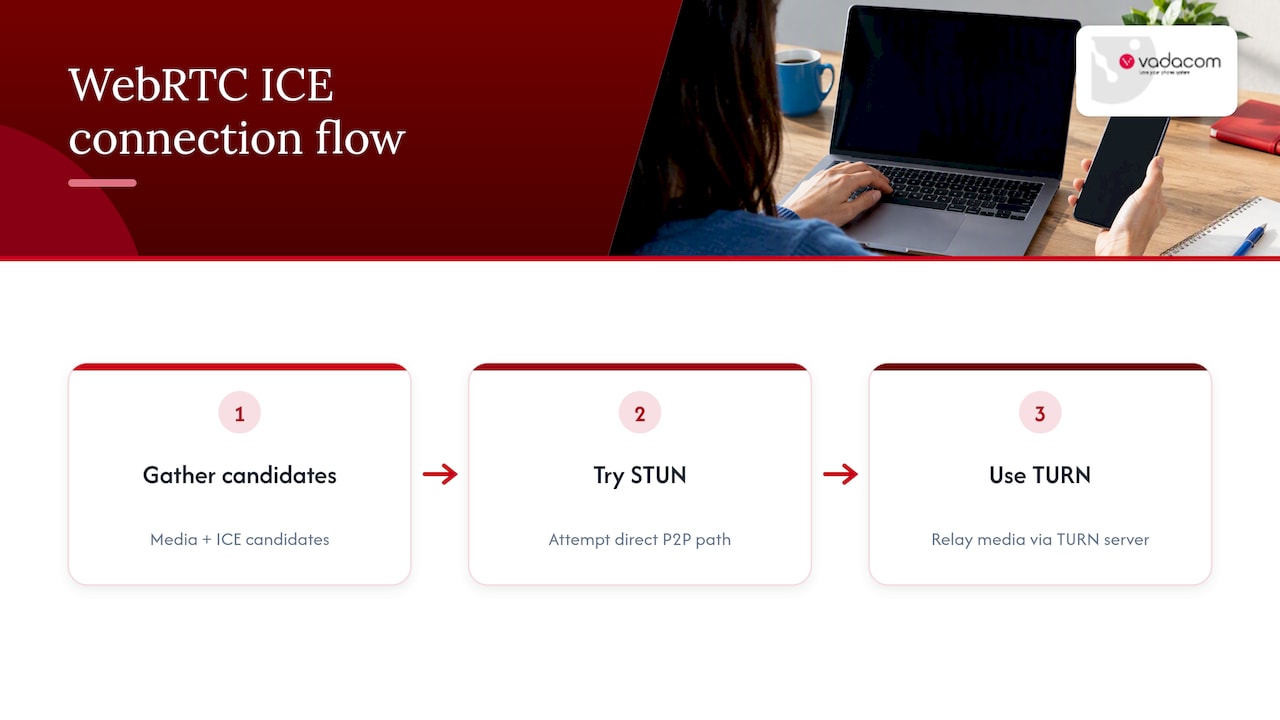
Getting media from one browser to another across the open internet is the hard part. Most devices sit behind NAT, so WebRTC uses ICE to find a viable path, trying STUN first for a direct connection and falling back to a TURN relay server when a direct path fails. TURN matters more than it sounds: without a reliable TURN server, calls that work fine on a corporate LAN will fail for anyone on a mobile network or behind strict firewalls.
WebRTC itself has no built-in signalling protocol. Something has to exchange session descriptions and ICE candidates between the two parties before a call can connect, typically over WebSocket. That’s straightforward between two browsers, but reaching a traditional PBX or SIP trunk needs a dedicated WebRTC-to-SIP gateway to translate between the two signalling worlds, a step the gateway architecture guidance from TelcoBridges covers in more detail.
Browser requirements and security: HTTPS, permissions and encryption
WebRTC only runs in a secure context, meaning HTTPS or localhost. Serve a page over plain HTTP and navigator.mediaDevices simply won’t be there, which is the single most common cause of calling features breaking in staging environments, according to MDN’s getUserMedia documentation.
Browsers won’t expose your microphone or camera without an explicit, per-site permission prompt, which MDN’s guidance on getUserMedia confirms is required before any media device becomes available to a page. That protects users from silent recording, but it also means your onboarding flow needs to explain why the prompt appears, or users will simply decline it.
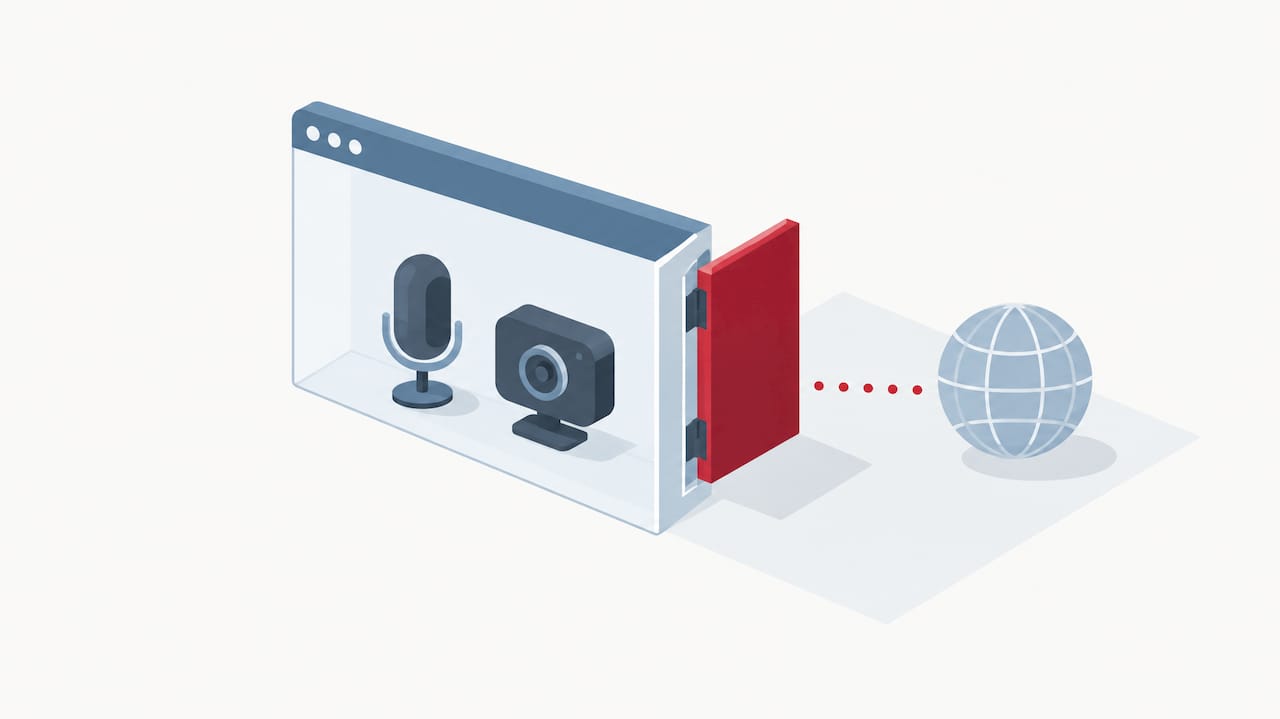
Media is encrypted by default: WebRTC requires DTLS-SRTP for key exchange and SRTP for the voice stream, as described in RFC 8827’s security architecture and summarized in Ant Media’s WebRTC security overview. Browser sandboxing further limits access outside the granted APIs. Support is wide across current Chrome, Firefox, Safari and Edge browsers.
Deployment choices and integration options for IT teams
The core decision is whether to run a managed platform or self-host an open-source browser-phone project. A managed platform takes signalling, TURN capacity and scaling off your plate, usually with a support contract behind it. Self-hosting gives you full control over customisation and data residency, but you own every operational headache that comes with it.
Those headaches are real and ongoing:
- TURN server capacity and bandwidth costs that scale with concurrent calls
- TLS certificate issuance and rotation across every signalling endpoint
- Monitoring for ICE connection failures and dropped sessions
- Backups and failover for the signalling and gateway layer
Running a WebRTC-to-SIP gateway alongside TURN infrastructure is genuinely non-trivial, which is why the TelcoBridges gateway overview notes that the operational cost of self-managing this stack often outweighs the licensing cost of a managed browser-phone platform for small and medium organisations. That’s also why much IT teams with limited telephony-specific staff choose an audited managed provider over building the stack themselves.
Pro Tip: Before committing to self-hosting, price out redundant TURN servers and 24/7 monitoring separately from the softphone software itself, because that’s where the budget usually blows out.
Limitations and regulatory considerations for emergency calling
Browser phones rely on mains power, internet connectivity, and a working device, which may not be available during an outage—this affects emergency calling.
- Voice services that depend on mains power must inform customers about potential service unavailability during power failures, as per the Commission 111 Contact Code 2024
- Providers have duties to ensure vulnerable consumers have means to contact 111 during outages
- Fibre, fixed wireless, and cordless handsets may lose service if power fails, so planning for battery backup or alternative lines is advisable
- Browser phones do not replace monitored medical or safety alarms that have dedicated 24/7 monitoring
Communicate clearly with users about how 111 calling works on their setup and available backup options during power or internet loss.
Implementation checklist for IT teams rolling out browser calling
A browser-phone rollout goes smoothly when the groundwork is done in order, not improvised mid-deployment.
- Pick your architecture first. Decide managed platform or self-hosted project, and settle on how you’ll reach any existing SIP PBX or trunk.
- Plan the signalling and gateway path. Confirm whether you need a WebRTC-to-SIP gateway and who operates it.
- Provision TLS everywhere. Secure contexts are mandatory, so certificates need to be issued, monitored and rotated automatically, not manually tracked in a spreadsheet.
- Size and deploy TURN capacity. Test relay performance under load, not just on a quiet office network.
- Test across real conditions. Run calls on every target browser and device, including mobile, and deliberately test on poor or throttled connections.
- Validate the permission flow. Walk through the microphone prompt as a first-time user would see it, and adjust onboarding copy if people are declining it.
- Operationalise support. Set up monitoring and logging for ICE failures, write runbooks for common faults, agree support SLAs, and train users before go-live.
Author perspective and recommended approach
My take: browser phones earn their place as flexible endpoints, not as a replacement for thinking through operations. Self-host when you need tight control over data or a custom integration no platform offers. Choose a managed platform when signalling, TURN and certificate upkeep would otherwise eat your team’s time, which is most small and mid-sized IT teams I’d back in this decision.
— Stuart
Vadacom NextVoice: a managed path to browser-based calling
We built NextVoice so teams get browser calling endpoints, extension dialling, announced transfer, voicemail and in-app call recording without running signalling gateways or TURN servers themselves. Call-flow management stays in your hands through self-service administration, while the underlying cloud architecture handles the scaling.

That’s the practical trade we’re offering: the operational layers this article walks through, TLS, TURN, signalling, sit on our side of the fence, with local support from a team experienced in New Zealand and Australian telephony. For customers who want deeper insight from their call data, AI Call Intelligence adds recording and analysis on top. If you’re still running an on-premise PBX and weighing up the move, our technical audit is a practical place to start, or head to NextVoice to see the platform directly.
FAQ
What is a web-based phone?
A web-based phone is a WebRTC application that runs inside your browser and lets you make and receive voice calls without installing a native app. It needs HTTPS and microphone permission to work, as MDN’s getUserMedia guidance sets out.
Can you get a phone that just texts and calls?
Yes, basic feature phones built purely for calls and texts still exist and are sold alongside smartphones, though they’re a hardware category rather than a browser-based technology. If you want a browser phone instead, you’re looking at software running on any device with a camera, microphone and modern browser.
Can I buy a phone that only uses the internet?
Yes, this describes a VoIP or WebRTC-capable device or app rather than a traditional cellular handset, and it relies entirely on an internet connection rather than a mobile network. Because of that dependency, it’s worth planning for what happens to your calling during a power or internet outage, particularly for emergency calling as outlined in the 111 Contact Code.
What is the best phone with no browser?
Basic feature phones without a browser are typically marketed for simplicity, longer battery life or reduced distraction rather than for any particular brand superiority, and the right choice depends on what you actually need the device to do. If your priority is browser-based calling instead, that’s a different category entirely, built around WebRTC rather than handset hardware.