
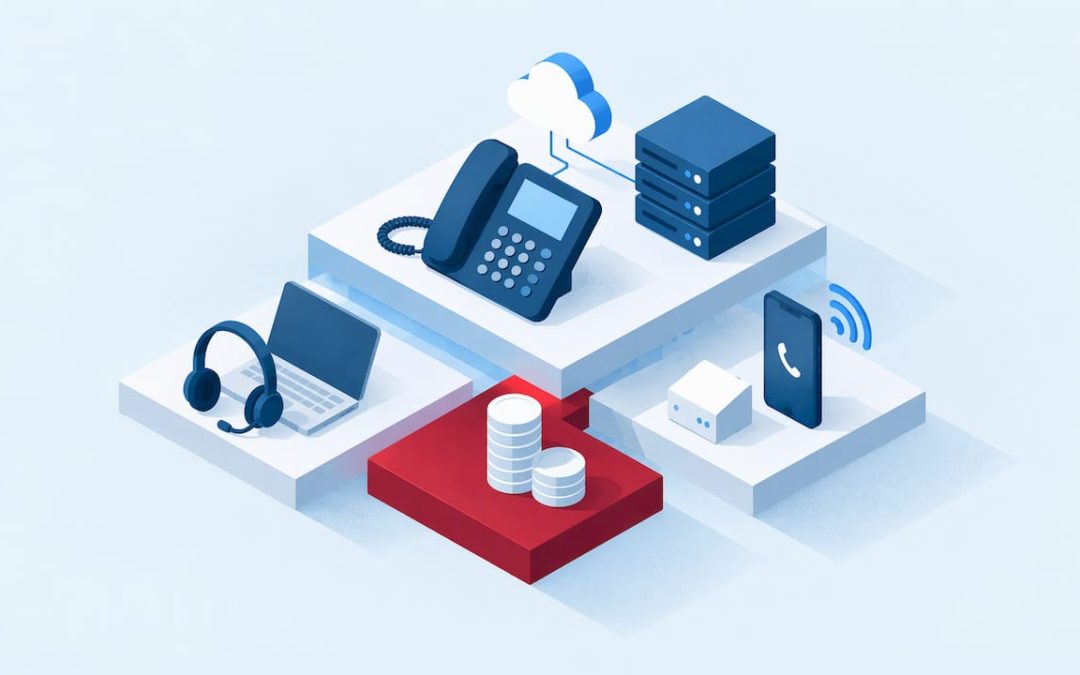
A cloud business phone system is billed per user each month, and the figure on the price list is only one layer of the bill. Setup, number porting, handsets or headsets, calling charges, call recording and any AI features decide what you actually spend. Work out those layers for your own headcount first, and any quote becomes easy to compare. We built NextVoice around that way of thinking: the essential features, a recurring subscription and no on-premise hardware to buy.
TL;DR
- Cloud phone systems are mostly priced per user per month. Forbes Advisor puts the typical US range at US$20 to US$40 per user, with entry tiers from US$10, so treat overseas figures as a guide and get local quotes in Australian dollars.
- The first year costs more than later years because of setup, number porting, handsets and training.
- Watch the extras: international calling, call recording storage, call queue or contact centre seats, and taxes.
- On-premise systems carry upfront hardware and ongoing maintenance, which is why most small and mid-sized businesses now compare cloud first.
- AI answering and call analysis are usually separate lines on the bill. Price them as their own decision.
Table of Contents
- What a business phone system costs, in plain terms
- The cost layers to put in your estimate
- Cloud versus on-premise: where the money goes
- What drives your total up or down
- What about AI receptionist and AI voice costs?
- A simple way to build your own estimate
- Worked example: a 20-person office
- Why the right fit saves more than the lowest price
- How Vadacom can help
- FAQ
- Sources
What a business phone system costs, in plain terms
Most providers charge a monthly fee for each person who needs a phone number or extension. That is the per-user (or per-seat) model, and Forbes Advisor’s 2026 review of cloud phone systems describes it as the most common one. Its US figures: generally US$20 to US$40 per user per month including taxes, with entry tiers as low as US$10. It also notes that paying annually is typically about 25% cheaper per month than paying month to month.
Those are American prices, so they will not match an Australian quote dollar for dollar. What carries over is the structure:
- Per-user pricing: you pay for each person or device. This suits teams where most staff need a line.
- Per-line or per-channel pricing: common for SIP trunking, where you pay for the number of simultaneous calls the connection can carry.
- Flat-rate plans: a fixed monthly fee for a bundle of users and calls.
- Usage-based charges: metered calling, usually for international or premium-rate numbers.
A plan that looks cheap per user can end up more expensive than a dearer plan once you add the things your business really does: calling mobiles, answering with a queue, recording calls.
The cost layers to put in your estimate
Think of the total as five layers. Write a figure next to each before you ask anyone for a price.
1. Monthly seat licences
This is the line most people compare. Count the people who need to make and receive calls, then add the shared lines: a main number, a reception queue, a meeting room. Seat count is the main driver of licence cost, so a tidy headcount is the single most useful number you can bring to a supplier.
A useful habit is to separate people who need a full phone extension from people who only need to pick up calls occasionally on a mobile or in a browser. Some staff may not need a full seat at all.
2. Setup, porting and professional services
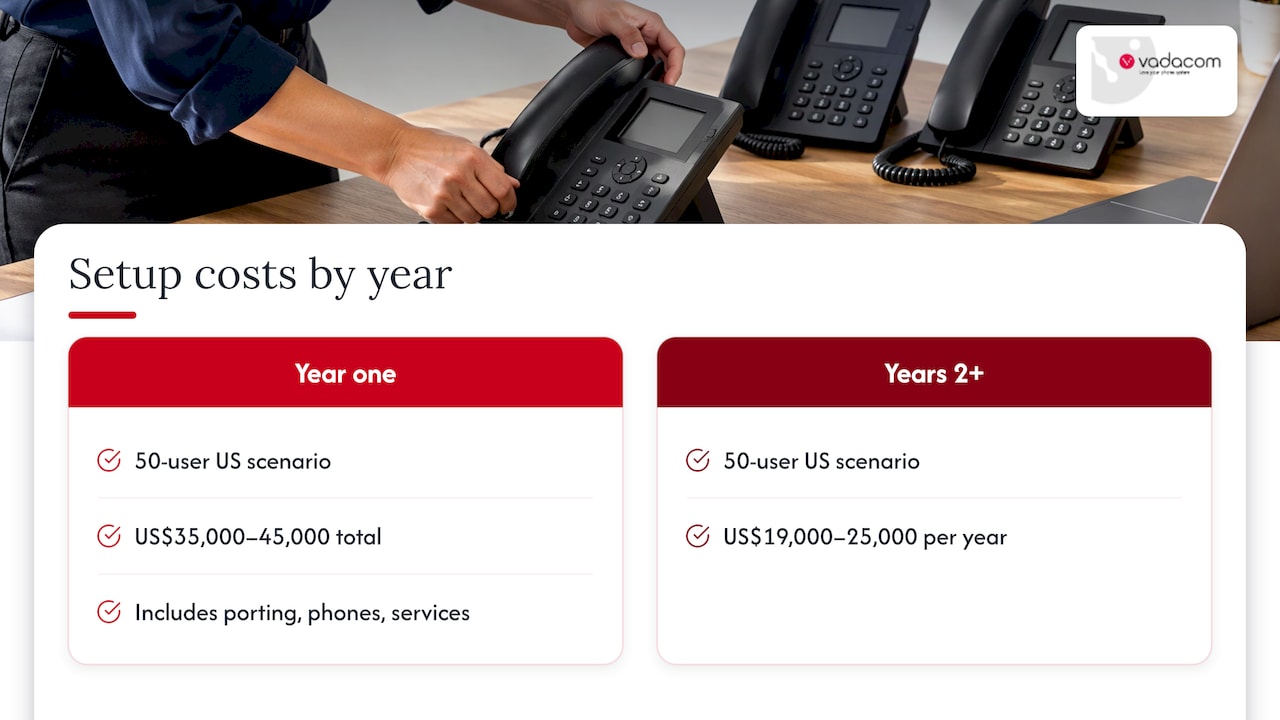
Moving your existing numbers to a new provider (number porting), configuring call flows, and training staff can all appear as one-off charges. Leonidas’s 2026 UCaaS pricing guide models a representative 50-user business moving to the cloud at roughly US$35,000 to US$45,000 in year one, including licensing, porting, desk phones, headsets and professional services. It puts steady-state years two onward at roughly US$19,000 to US$25,000 a year. That is a US scenario with contact centre seats in the mix, so use it for the shape of the curve, not the totals: the first year is heavier than the ones that follow.
For a small business with a simple setup, most of that first-year weight is handsets, headsets and the hours spent designing how calls should be answered.
3. Handsets, headsets and devices
You do not always need desk phones. Staff can use an app on a mobile or laptop, or a browser. If your team wants desk handsets or headsets, those are purchases on top of the subscription. NextVoice is designed to work with the devices that suit each person’s working style, so you can buy only what your team will actually use. Every handset you do not need is a saving that repeats across every seat.
4. Calling charges
Some plans bundle domestic calls and meter everything else. If your team regularly calls overseas, ask how international calls are billed, because Leonidas identifies separately metered international rates as one of the main causes of budget overruns. If most of your calls are local, bundled domestic calling matters more.
5. Features that sit outside the base price
The same Leonidas guide names two other common sources of overrun: contact centre licensing that grows as your needs become clearer, and recording storage allowances that are smaller than regulated businesses need. If you record calls for training or compliance, ask how long recordings are kept and what extra storage costs. Phone systems that include recording inside the app, as NextVoice does, make this easier to scope from the start.
Cloud versus on-premise: where the money goes
An on-premise PBX (the phone exchange that sits in your comms cupboard) front-loads cost into hardware and installation, then adds maintenance, upgrades and the time of whoever looks after it. A cloud system moves that into a monthly subscription and the provider runs the platform.
| Cost area | On-premise PBX | Cloud phone system |
|---|---|---|
| Upfront | Hardware, installation, licences | Mainly setup, porting and any handsets |
| Ongoing | Maintenance contract, repairs, upgrades | Monthly per-user subscription |
| Adding a person | Possibly new licences or hardware | Add a user in the admin portal |
| Adding a site or remote worker | Extra equipment or networking | Another user on the same platform |
| Resilience | Depends on your own hardware and site | Depends on the provider’s architecture |
On resilience: NextVoice runs on a telco-grade cloud architecture that supports multiple availability zones, so you are not paying for a spare box that sits in a cupboard. If you are weighing this up for a specific site, our comparison of hosted PBX versus on-premise goes through the decision in more detail, and the VoIP ROI analysis shows how to turn the figures into a business case.
What drives your total up or down
Number of users and sites
More seats means a bigger bill, but a platform that lets you add and remove users yourself keeps the number honest. Self-service administration means you change users and settings as your team changes, without raising a ticket for every move. Seasonal staff, new hires and people who leave are all common, so ask how quickly seats can be added and removed and whether you are paying for unused ones.
Call volume and internet capacity
Voice calls run over your internet connection, so the number of people on calls at once matters as much as the number of staff. If your connection is weak, you may spend on better internet before the phone system performs well. If calls are choppy in video meetings too, our guide to diagnosing video call lag covers the quick tests to run first.
How calls are routed
Call flows decide how much work the system does for you. Extension dialling, call transfer and announced transfer, voicemail and individual call-flow management are all part of NextVoice’s core features. A simple flow costs little to build. A flow with several queues, time-of-day rules and overflow takes planning, which is why mapping calls before you build saves rework later.
Tax and fees
Check whether a price is quoted with or without GST and whether any regulatory or administration fees apply. Ask for a sample invoice at your user count so you compare like with like, not headline prices.
What about AI receptionist and AI voice costs?
If you are considering an AI receptionist or AI call analysis, treat it as a separate budget line from the phone system. These services are priced differently from seats: some charge per minute of call time, some per call answered, some a flat monthly tier, and custom voice agents are usually quoted per project.
Before you commit to any of them, work out four things:
- How many calls you get and when. After-hours and overflow calls are often where an AI answering service earns its keep.
- What counts as a billable unit. A minute, a call or a caller each give a different monthly bill for the same traffic.
- What happens when the AI cannot help. Is there a route to a person, a voicemail or a callback?
- How the call data is used. If you want insight from recordings, check what is recorded, stored and analysed.
Vadacom offers an AI answering service and optional AI Call Intelligence for customers who want deeper insight from call recording and analysis. Our view is that AI works best on a phone system that already has clean call flows, which is why we explain why AI routing should follow a governed pilot. If after-hours enquiries are your pain point, our page on after-hours phone answering shows how that can work.
A simple way to build your own estimate
You can do this on one page in about twenty minutes.
- Count seats. List everyone who needs a number, then the shared lines (main number, queue, reception).
- Choose devices. Decide who uses an app, who uses a handset and who needs a headset. Price only what is needed.
- List your numbers. Note every number you want to keep, so porting is quoted once.
- Estimate calling. Look at last quarter’s phone bill. Split domestic, mobile and international.
- Mark the extras. Recording, queues, AI answering, call analysis, extra storage.
- Ask for the first year and the second year separately. The difference shows you the one-off costs.
- Add the internet. If your connection needs an upgrade, include it.
- Add internal time. Someone has to look after the system. Include their hours, or the cost of IT management and support if you outsource it.
With that sheet, a quote stops being a surprise. You can see which line each price answers and where a plan leaves something out. If you want to compare on what it takes to leave a legacy system, the upgrade guide for old on-premise phone systems shows an audit-first approach.
Worked example: a 20-person office
Take a business with 20 staff, a shared main number and a reception queue. Fifteen people mostly use an app on their laptop or mobile, and five use desk handsets. They record some calls for training and want after-hours calls answered.
Your estimate would have these lines:
- 20 user seats, billed monthly or annually (annual is typically cheaper per month).
- One-off: porting the existing numbers, setting up the queue, five handsets and headsets.
- Calling: domestic bundle, with mobile and international usage checked against the plan.
- Recording: included storage and what it costs to extend.
- After-hours: an AI answering service as its own monthly line.
- Internal time: who administers users and settings.
Write a real figure against each line from the quotes you receive. The total is yours, and it will not depend on a rule of thumb from another country.
Why the right fit saves more than the lowest price
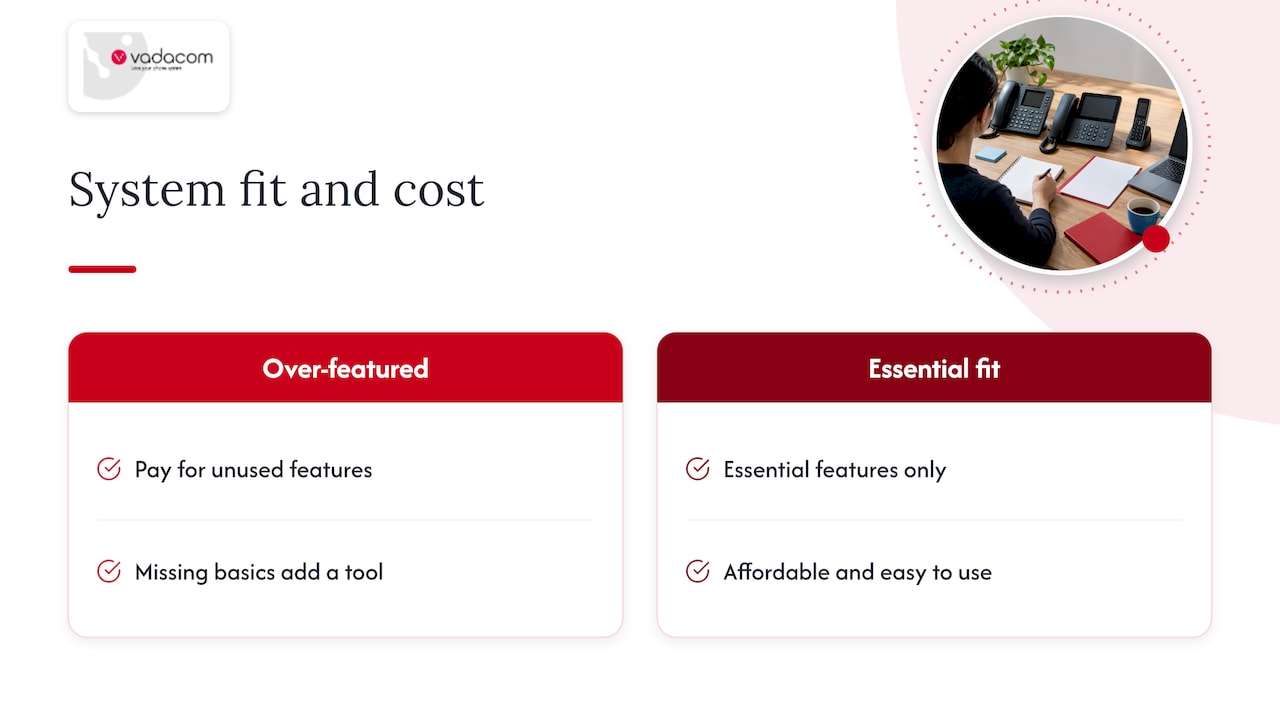
The cheapest seat price is rarely the cheapest system. A platform that has more features than you use charges you for them. One missing a basic feature adds a second tool. That is why NextVoice focuses on the essential communication features businesses need, which keeps it affordable and easy to use.
The second saving is support. When something breaks on a Monday morning, someone has to pick up. We design, deliver and support our platform locally in New Zealand and Australia, with more than 20 years of experience behind it.
Our view
Most phone system quotes are hard to compare because they are written to look small, not to be complete. The questions that matter are the same every time: who are the users, what happens to your numbers, what do you pay for when something changes, and who answers when you call for help.
We built NextVoice for businesses that want the essentials done well. Extension dialling, transfers, voicemail, in-app recording and call flows you manage yourself cover what most teams use every day. Because it is cloud-based on AWS, you are not buying and maintaining a box, and you are not making a big upfront bet. You add and remove users as the business changes.
Our advice is to settle your call flows first, then decide what AI should do on top. A clear flow is cheaper to run, whether a person or an AI answers.
Stuart
How Vadacom can help
NextVoice gives your team voice calling, voicemail, in-app recording and call-flow control from the office, home or anywhere else, on the devices they prefer. NextMobile extends that to mobile, and our AI answering service and AI Call Intelligence are available if you want them. If you are replacing an older system, our technical audit is the place to start, so you know what you have before you decide what to buy.
See how NextVoice works and request a quote based on your own user count.
FAQ
How much does a business phone system cost per month?
Most cloud systems are priced per user per month. Forbes Advisor reports US$20 to US$40 per user as typical in the US, with entry tiers from US$10. Your Australian quote will differ, so build your estimate from seats, devices, calling and extras, then compare quotes line by line.
Is a cloud phone system cheaper than an on-premise one?
Cloud systems replace upfront hardware and maintenance contracts with a monthly subscription, so the cash outlay in year one is usually lower. Over several years the answer depends on your user count, calling and how long you would keep hardware. Our VoIP vs landline comparison walks through the three-year view.
What extra costs should I look for?
Ask about setup and number porting, handsets and headsets, international calling, call recording storage, queue or contact centre seats and taxes or fees. These are the areas where budgets most often grow beyond the advertised seat price.
Do I need desk phones?
Not necessarily. Staff can use an app, and NextVoice works with the devices that suit how your team works. Buy handsets only for people who will use them every day.
How is an AI receptionist priced?
AI answering tends to be priced per minute, per call, as a flat monthly tier or as a quoted project, separate from phone seats. Estimate your call volume and after-hours traffic first so you can compare like with like.
Sources
- Forbes Advisor: 10 Best Cloud Phone Systems of 2026
- Leonidas: UCaaS Pricing in 2026
- Chicago Technology Group: IT Support & Management