
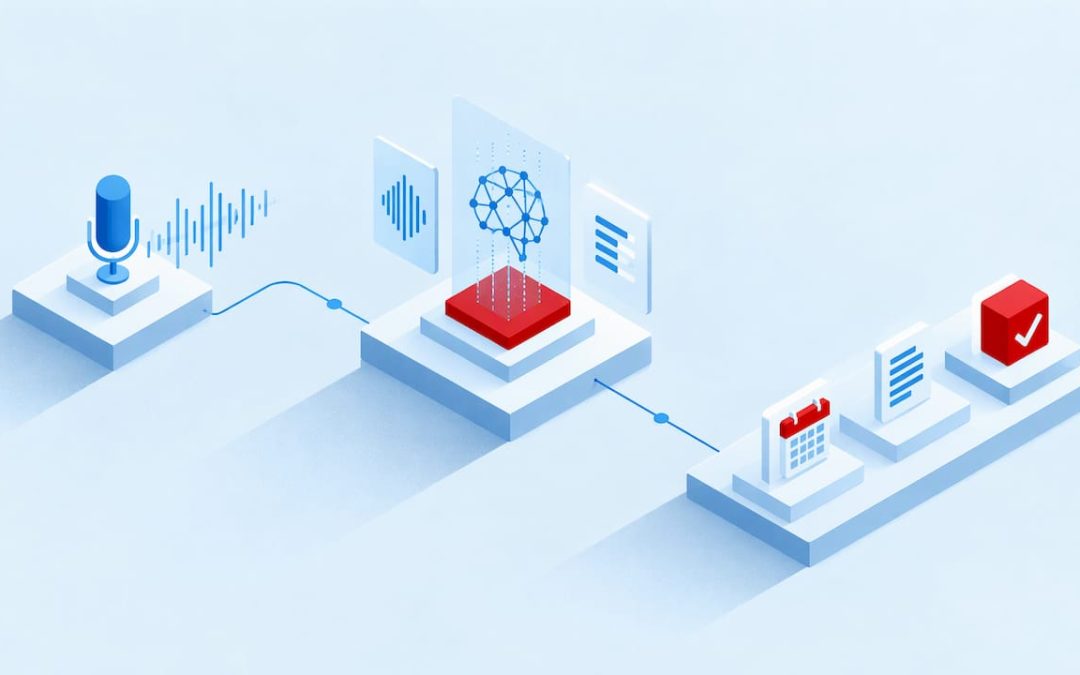
An AI voice agent answers a phone call by turning the caller’s speech into text, working out what the caller wants, deciding what to do, and speaking a reply, all within a second or two and many times per call. The useful ones also connect to your business systems, so they can book, look up or transfer rather than just talk. If you run a business phone line, the point is not the technology itself. It is which calls the agent can handle well, and how smoothly it passes the rest to your people.
TL;DR
- An AI voice agent chains three jobs: speech recognition (audio to text), a language model (understanding and deciding), and text-to-speech (writing back to audio).
- What separates it from an old phone menu is that it interprets natural speech and intent, so callers do not have to press keys or say exact keywords.
- It becomes useful for a business only when it can call your systems, such as a calendar or CRM, and hand a caller to a person with context.
- Security and handoff design matter as much as the AI: decide what the agent may do, and when a human takes over.
- Start with a narrow set of calls, such as after-hours enquiries or routing, and widen once you see how it performs.
Table of Contents
- What an AI voice agent is
- The pipeline, step by step
- Interruptions, context and why calls feel natural
- Connecting to your business systems
- What calls suit an AI voice agent
- Security and privacy on a voice line
- Voice agent versus agent-to-agent communication
- A sensible rollout
- How Vadacom fits
- Our perspective
- FAQ
- Sources
What an AI voice agent is
An AI voice agent is software that holds a spoken conversation. Speechmatics describes it as a combination of speech recognition, large language models and text-to-speech that understands a spoken request and responds naturally in real time. A large language model (LLM) is the kind of AI behind modern chat assistants: it reads text and produces a sensible text reply.
The contrast with what most businesses have today is the easiest way to see it.
| Traditional phone menu (IVR) | AI voice agent | |
|---|---|---|
| How the caller interacts | Presses keys or says set words | Speaks naturally, in their own words |
| How it decides | Fixed script and branches | Interprets meaning and intent |
| Unexpected requests | Falls to a default or a loop | Can follow the conversation and ask a clarifying question |
| Doing things | Routes the call | Can look up, book, update or transfer, when connected to your systems |
IVR stands for interactive voice response, the “press 1 for sales” menu. A well-built menu still has a place on a phone system, and an AI agent often sits alongside it. The difference is the caller’s experience: they say what they need instead of hunting through options.
The pipeline, step by step
Every AI voice call follows the same loop. Understanding it explains both why the technology feels natural and why it sometimes stumbles.
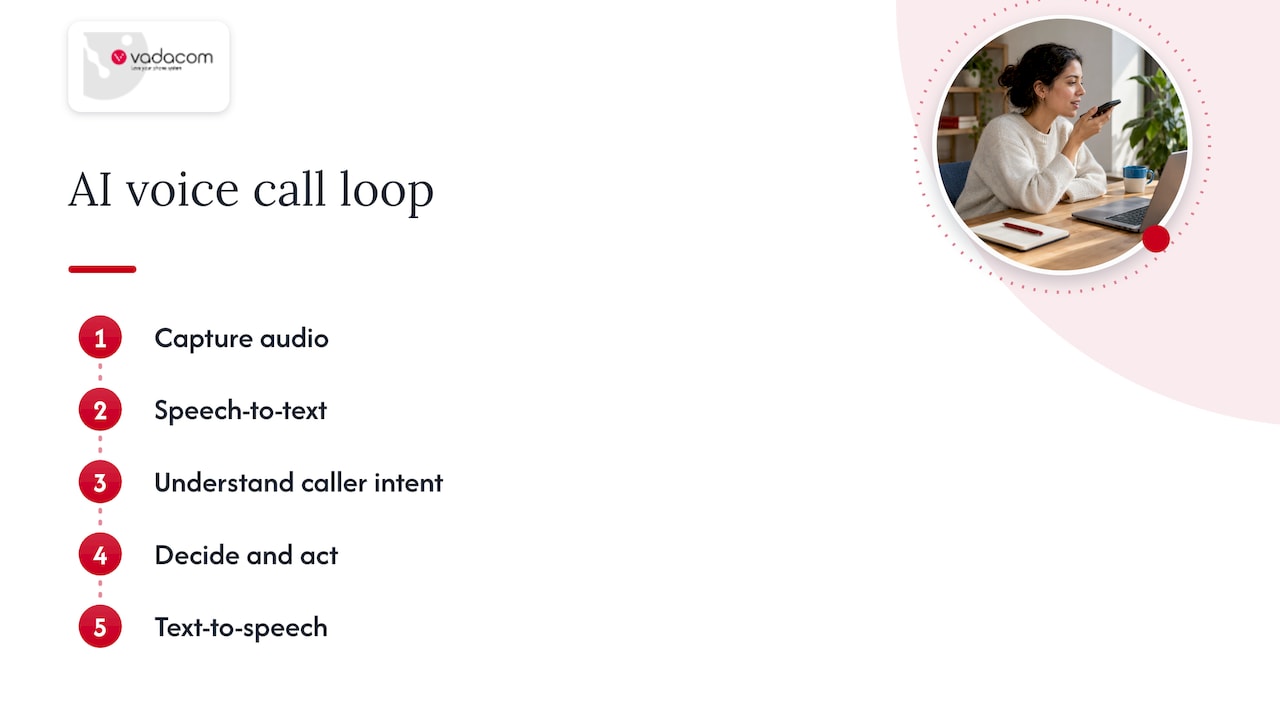
1. Capturing the audio
The call arrives over your phone system as a stream of audio. The agent does not wait for the call to finish. It processes the stream in tiny slices as the caller speaks, which is what makes real-time conversation possible. Audio quality at this point matters a great deal: a noisy mobile line or a dropped connection gives everything downstream poor material to work with.
2. Speech to text
Speech recognition (often called STT, speech-to-text) converts the audio into written words. It also has to cope with accents, background noise, names, street addresses and product codes. For an Australian or New Zealand business, that means local accents and place names are worth checking in any trial of a voice agent.
3. Understanding what the caller wants
The transcript goes to the language model, which works out the caller’s intent. “I need to move my Thursday appointment” and “can I come in later this week instead” are different words with the same meaning. This is the step that replaces rigid keyword matching. The model is also given instructions by the business: what it is allowed to talk about, what tone to use, which information it may share, and when to hand over.
4. Deciding and acting
The model chooses a next move: answer from approved information, ask a follow-up question, call a tool (for example, check a calendar), or transfer the call. This is where a voice agent stops being a talking menu. Airbyte’s production guide describes an orchestrator that coordinates the speech recognition, the model’s reasoning and the voice output, and notes that quality depends as much on fast, fresh, permissioned business data and reliable tool calls as on the speech recognition itself.
5. Text to speech
The reply is converted back into spoken audio by a text-to-speech engine and played to the caller. Modern synthetic voices sound natural, but the pacing is what callers notice most. Long silences feel like a dropped call, so well-designed agents fill short gaps with a brief acknowledgement while a lookup completes. Airbyte makes the same point: when a tool is slow, the agent should say something like “checking now” rather than leave dead air.
Then the loop starts again, for every turn of the conversation.
Interruptions, context and why calls feel natural
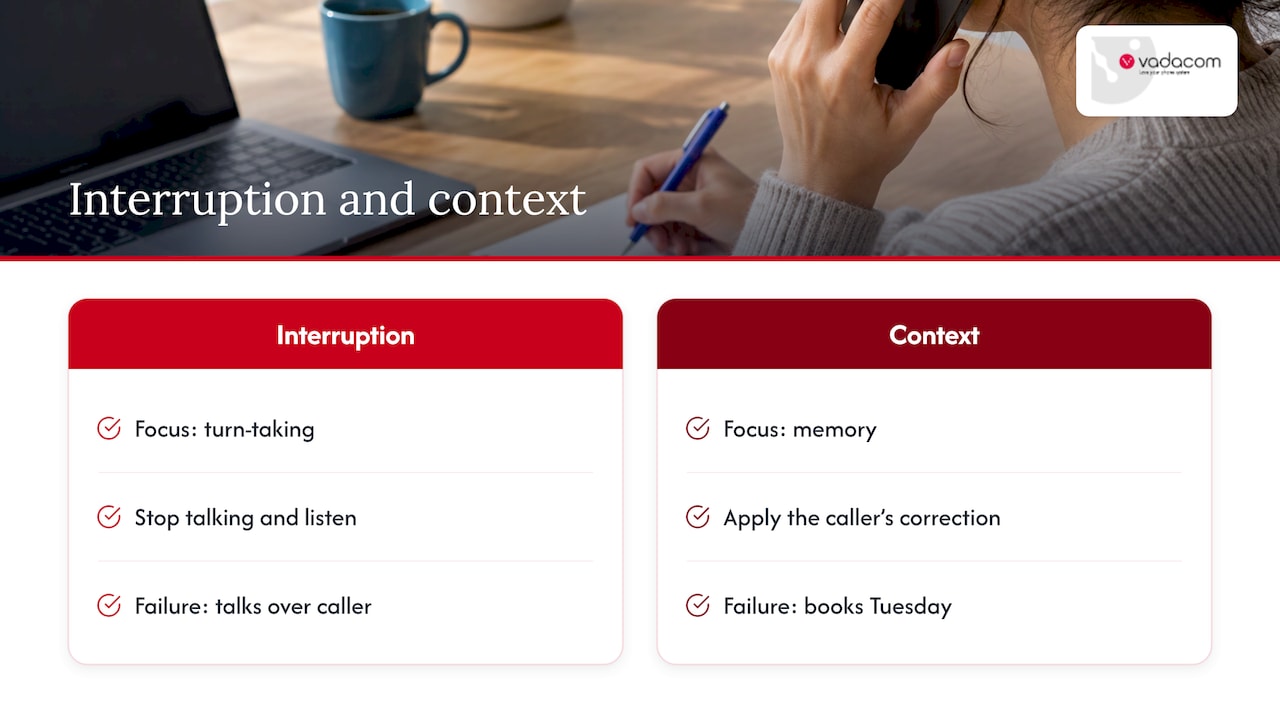
People interrupt. They correct themselves mid-sentence (“Tuesday, sorry, I mean Wednesday”). A voice agent has to handle two separate problems here, and Evalgent’s guide usefully separates them.
Interruption is about turn-taking. The agent must notice the caller has started speaking, stop talking and listen. This is sometimes called barge-in. Related to it is deciding when a caller has finished a sentence. Get it wrong one way and the agent talks over the caller. Get it wrong the other way and there is an awkward pause before every reply.
Context is about memory. The agent has to remember what was said earlier in the call and apply the correction to what it was about to do. Evalgent’s point is that these fail independently. An agent can stop speaking promptly and still book Tuesday because it did not carry the correction forward. The good version detects the interruption, yields, records the new detail, updates the planned action, and confirms the change back to the caller.
For a business owner, this has a practical meaning. When you assess any voice agent, listen to how it handles a caller who changes their mind, speaks over it, or gives details out of order. That tells you more than a polished demo script.
Connecting to your business systems
A voice agent that can only chat is a novelty. One that can act on your behalf is a working part of your operations. Typical actions include:
- looking up or changing an appointment in a booking system
- recording an enquiry against a customer record
- taking a message and sending it to the right person
- transferring a caller to a person or team, passing along what has been said
The design principle that matters is that the agent should never claim something has happened until the system confirms it. A sound rule of thumb: the agent only says a booking is confirmed once the booking system returns success. Rerun’s explainer lists the controls that sit around each action: defined inputs, validation on the server, least-privilege access (the agent only gets the permissions it needs), timeouts, protection against duplicate actions and an audit trail.
If you are an IT manager, that list doubles as a scoping checklist. Decide which actions the agent may take, what data it may see, and how each action is logged.
What calls suit an AI voice agent
The best starting points share three traits: the questions are repetitive, the answers are clear, and the cost of a wrong answer is low or easily corrected.
- Answering and routing. Greeting callers, finding out who they need and sending them to the right extension or team. Our page on the AI auto attendant covers this use.
- After-hours calls. Capturing a caller’s details and reason for calling so nothing is lost overnight or on weekends. See how after-hours phone answering can combine AI with people.
- Frequently asked questions. Opening hours, location, how to book, what to bring.
- Call notes. Turning a recorded conversation into a short written summary. We explain how AI call summaries work and what to settle first.
When the agent should hand over to a person
Set handoff rules before launch, not after the first awkward call. Good triggers include a caller asking for a person, an upset or distressed caller, a request that touches money or contracts, repeated failure to understand, and anything outside the approved topics. The handover is only as good as what travels with it: the person who picks up should already know who is calling and why, so the caller does not repeat themselves.
How the transfer itself is done depends on your phone system. Our guide to call transfer methods sets out three common options, from desk phones through to SIP (the standard that carries voice calls over the internet). An announced transfer, where the first person tells the next person who is on the line before connecting, is a natural fit for an agent-to-person handover.
Security and privacy on a voice line
Once an agent can take actions, it is worth protecting like any other system with access to customer data. The risk areas run along the same path as the call: the phone line (for example, spoofed caller ID), the speech recognition, the model’s reasoning, the tools it can use, and the data it can see.
Three habits cover most of the ground:
- Limit what the agent can do. Give it only the permissions its job needs, and keep high-impact actions such as refunds or account changes with a person.
- Keep the rules outside the conversation. Do not rely on instructions in the model’s prompt alone to stop something risky. Put checks in the system that runs the action, so a clever caller cannot talk the agent past them.
- Log and review. Keep a record of what the agent did so you can spot patterns and improve.
On the telephony side, spoofed caller ID is a real risk for any phone system, and we have set out five vendor questions that help prevent caller ID spoofing. Our guide to VoIP security best practices covers the wider phone system. For a broader view of how to think about layered protection for voice assistants, this piece on layered security for voice assistants sets out the threat picture clearly.
If your business handles personal information, check how the Privacy Act in your country applies to recorded calls and AI processing, and speak to your lawyer or privacy officer about disclosure to callers.
Voice agent versus agent-to-agent communication
You may see the phrase “AI agent to agent communication”. That refers to software agents exchanging messages with each other, for example one agent asking another to fetch data. It is a back-office design pattern and not something a caller experiences. For a business phone line, the question that matters is simpler: can the voice agent safely call the systems it needs, and can it pass a caller to a person?
A sensible rollout
A phased approach keeps risk low and learning high.
- Pick one narrow job. After-hours capture or call routing is a common first choice.
- Write the rules. What it can say, what it can do, when it hands over.
- Prepare the handover. Make sure the right people, extensions and messages are set up.
- Review real calls. Listen, adjust the instructions and widen the scope gradually.
- Measure what matters to you. Missed calls, time to answer, how many calls needed a person.
Our view on why AI should wait for a governed pilot goes into why this order works, and our page on AI call routing shows how it can be added without replacing your existing phone system. Results depend on your call mix, your processes and how the agent is set up, so treat any benefit as something to work towards, not a given.
How Vadacom fits
If you want an AI answering service from a provider that designs, delivers and supports its services locally across New Zealand and Australia, that is what we offer. Our AI answering service sits alongside NextVoice, our cloud business phone system built on AWS, with extension dialling, call transfer, voicemail, in-app recording and individual call-flow management. For customers who want deeper insight from recorded calls, optional AI Call Intelligence is available.

If you are still running an older on-premise system, our technical audit is a practical way to see what needs to change before adding AI. You can read about the NextVoice platform or the technical audit and talk to our team.
Our perspective
Most of the conversation about AI voice is about the AI. In our experience of building and supporting business phone systems for more than 20 years, the part that decides whether it works for a business is the phone system underneath.
A voice agent is only as good as the call flow around it: who answers, where the call goes next, what gets recorded, and how a person picks up with the full picture. That is why we focus on the essential features a business needs, such as extension dialling, announced transfer, voicemail, recording and call-flow management, and add AI where it supports them.
We build NextVoice on a telco-grade cloud architecture, and we support it locally in New Zealand and Australia, so you talk to people who understand your setup. We would rather you start with one clear use, see how your callers respond, and grow from there. We do not promise outcomes, because every business and every call mix is different. We do promise to help you work out a sensible first step.
Stuart
FAQ
What are AI voice agents?
AI voice agents are software programs that hold spoken conversations using speech recognition, a language model and synthetic speech. They interpret what a caller means rather than matching keywords. On a business line, they can answer, route calls, take messages and, when connected to your systems, complete simple tasks.
How is an AI voice agent different from an IVR menu?
An IVR menu follows a fixed script of options, usually pressed on the keypad. An AI voice agent lets callers speak naturally and works out their intent, so it can handle requests that no menu option anticipated. Many businesses keep both: a simple menu for predictable cases and an agent for open-ended ones.
Can an AI voice agent transfer a call to a person?
Yes, and it should. A good design defines when the agent hands over, such as when a caller asks for a person or the request is outside its approved topics. The best handovers pass along what the caller has already said so they do not have to repeat it.
Is it safe to let an AI voice agent act on my systems?
It can be, when the agent is given only the access its job needs, high-impact actions stay with people, and every action is logged. Talk through the permissions with your IT manager before launch, and with your lawyer or privacy officer if calls involve personal information.
Sources
- Speechmatics: What Is an AI Voice Agent?
- Evalgent: Interruption vs Context in Voice Agents
- Airbyte: AI Voice Agents, Architecture and Production Readiness
- Rerun: AI Voice Agents, How They Work
- Layered security for voice assistants