

Good video meeting etiquette comes down to a few habits. Prepare early, join a few minutes before the start, mute when you are not speaking, and make sure everyone can take part, including people dialling in from home. In New Zealand, add one more: tell people before you record.
This guide covers what to do before, during and after a call. It also covers hybrid rooms, recording rules and board meetings, which the usual etiquette lists skip.
TL;DR
- Test your camera, microphone and connection before the call, and join a few minutes early, as Stanford’s IT guidance advises.
- Mute when silent, use a headset, and use hand-raise or chat so people do not talk over each other.
- In hybrid meetings, someone must actively look after the remote attendees.
- In NZ workplaces, tell people before recording and explain why, in line with the Privacy Act 2020 and Employment New Zealand’s guidance.
- Close the loop afterwards: confirm decisions, owners and unanswered chat questions.
Table of Contents
- Before the call: the setup that matters
- Joining and introductions
- Speaking, listening and turn-taking
- Hosting: designing the experience
- Hybrid meetings: don’t forget the people on screen
- Accessibility is part of etiquette
- Recording: the New Zealand rule
- Can a board meet by video?
- Our perspective
- A phone and meeting platform that supports good habits
- Follow-up: make it repeatable
- A one-page checklist
- FAQ
- Sources
Before the call: the setup that matters
Most etiquette failures are technical failures that nobody checked. A few minutes of preparation prevents most of them.
- Test the kit. Check the camera, microphone and speakers are the ones the app is using. Google’s guidance for Meet starts with exactly this step.
- Use headphones or earbuds. They reduce echo for everyone else. The Otago Regional Council recommends noise-cancelling headphones for public meetings.
- Face the light. Put the light in front of you, not behind you, so people can see your face.
- Pick a quiet spot. A closed door beats any virtual background.
- Use a wired connection where you can. If bandwidth is poor, turn your video off to protect the audio. Keep a dial-in or audio-only fallback ready.
- Practise sharing your screen. UBC’s guide suggests a test call with a buddy, including a screen share.
You do not need an expensive camera. The cheapest reliable setup is the platform your team already knows, tested in advance, with a decent headset, a stable connection and a shared agenda.
If calls keep stuttering despite good habits, the cause is usually the network. Our seven quick tests for video call lag help you find it.
Joining and introductions
- Join a few minutes early. New Zealand public-meeting guidance from the Otago Regional Council recommends this, along with testing technology beforehand.
- Check your display name. Use your real name so the host knows who you are. Add your role if people outside your team are present.
- Join muted. Unmute when you speak.
- Greet people. If you are leading, welcome people by name. It sets a friendly tone, especially for newcomers.
- Say how the meeting will run. Explain how to raise a hand, where the chat is and how questions will work. NCEAS suggests opening with a quick check that everyone knows how to mute and find the chat.
Speaking, listening and turn-taking
On a call you lose much of the body language people use in person. NCEAS notes this, and advises offering several ways to take part and being patient with delayed replies. Do not read silence as agreement.
The gap between a polite call and a productive one is explicit turn-taking. The University of Iowa points to a handful of habits:
- Name the speaker.
- Direct questions to a specific person.
- Use hand-raise or chat signals.
- Pause briefly for transmission delay before you speak over someone.
A few more habits:
- Speak clearly and say who you are when others may not recognise your voice.
- Do not multitask. People can tell when you are reading email. Stanford’s guidance asks everyone to share video and audio, with no lurkers.
- Show you are listening. Nodding, smiling and using the raise-hand feature help mirror in-person conversation.
- Mute the phone beside you. Silence other devices too.
Camera on or off?
In a small team call, cameras on build connection. On a large webinar, or when the connection is weak, switching video off is reasonable. The rule is to agree it. Say at the start whether cameras are expected, and do not make anyone feel they have to explain a poor connection.
Hosting: designing the experience
Stanford and Microsoft both treat the host as the person who designs the meeting. That means doing several things:
- Send an agenda and the outcome you want before the call.
- Invite only the people who need to be there.
- Set speaking cues.
- Check remote audio and video from time to time.
- Protect equal access to shared content.
The widely quoted “5 Ps” (purpose, preparation, people, process and participation) are a handy memory aid. They are not a formal standard, but they match what institutional guidance recommends: a clear outcome, materials sent early, the right attendees, an explained process and everyone included.
Hybrid meetings: don’t forget the people on screen
Technology does not make a meeting inclusive by itself. Microsoft’s hybrid meeting guidance says organisers and presenters set the tone. It recommends giving remote participants equal opportunity to contribute.
Practical safeguards:
- Assign a chat monitor or in-room helper. It costs nothing and matters most for client and decision meetings.
- Look at the camera sometimes, not only at the people in the room.
- Distribute microphones so remote attendees can hear everyone in the room, as Stanford advises.
- Share a digital whiteboard. The University of Michigan suggests it in place of a physical one.
- Ask remote people first. They are the easiest to forget.
If you are planning meeting rooms, our guide on getting hybrid rooms live covers the rollout.
Accessibility is part of etiquette
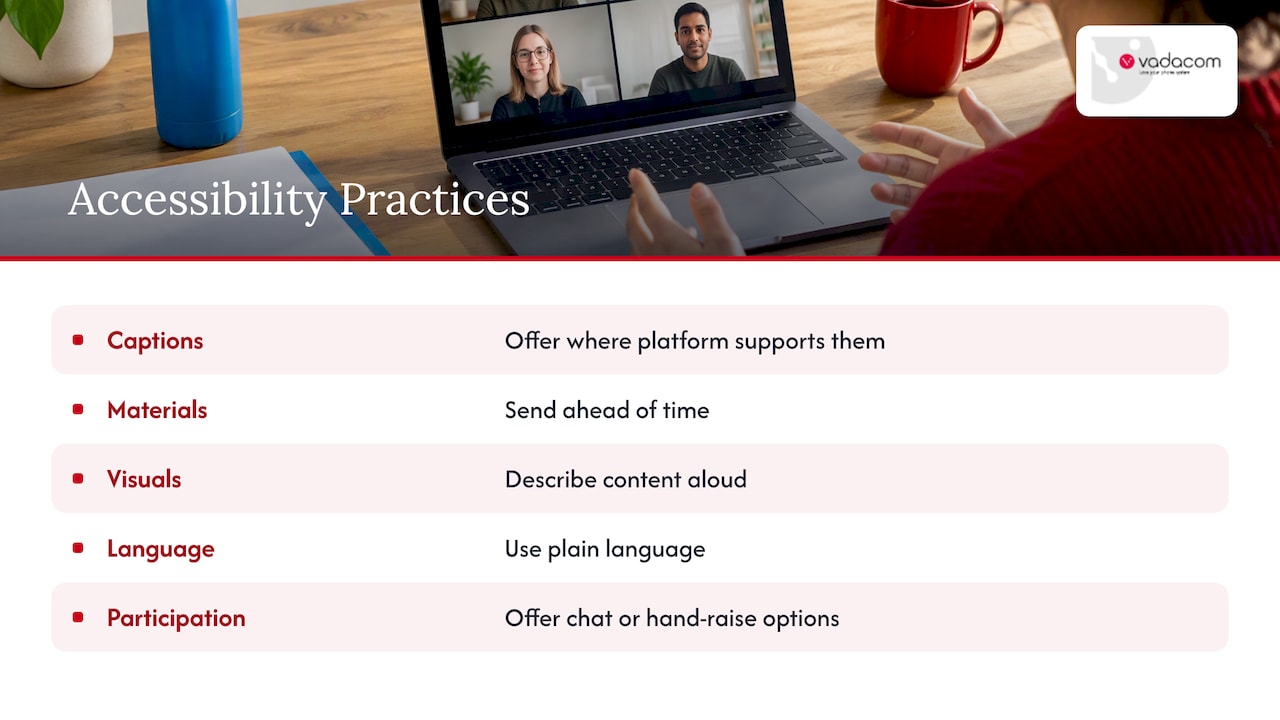
Offer captions where your platform has them. Send materials ahead of time. Describe visual content aloud. Use plain language. Give people a chat or hand-raise option if they cannot or prefer not to speak. NCEAS treats this as part of running a meeting, not an extra.
Recording: the New Zealand rule
In New Zealand, recording a meeting is more than a courtesy. Employment New Zealand says anyone recording a workplace meeting must comply with the Privacy Act and not breach good faith obligations. It recommends that employers explain why and when monitoring, recording or filming happens, and consult employees (and unions where relevant).
In practice:
- Write a short recording policy and share it.
- Say at the start of the call that you are recording, and why.
- Do not record secretly. It can cause privacy and employment problems and damage trust.
- Check before you share the recording or run it through analysis tools.
If you are an employer and unsure about your obligations, check the Employment New Zealand page or take advice from an employment lawyer. For the technical side of call recording, see our guide to call recording for business.
Can a board meet by video?
Often, yes. The Institute of Directors’ board meeting guide says a board can meet by telephone or video conference if the governing documents and legal requirements allow it. The meeting must still be properly constituted with a quorum, and decisions must be minuted. The IoD advises addressing video attendance in the constitution or board charter.
Two cautions follow:
- Check the constitution first. If it is silent, fix that before relying on video.
- Allowing video is not the same as meeting well. For significant or poorly prepared decisions, directors may be better served by meeting in person, or by asking for more information or independent advice. Your company lawyer can confirm what your documents permit.
Our perspective
At Vadacom we spend our days helping New Zealand and Australian teams stay connected from the office, home and elsewhere. Our view is that etiquette is mostly a reliability problem in disguise. People talk over each other when audio lags. They go quiet when they cannot find the chat. They leave the camera off when the connection drops.
So we suggest teams do two things. First, agree a short set of house rules and write them into the meeting invitation. Second, choose tools that behave the same on every device, with simple controls for muting, transferring and recording. Fewer features that everyone understands beat many that nobody uses.
The goal is for a person in a home office to be treated like a person in the boardroom.
— Stuart
A phone and meeting platform that supports good habits
Good etiquette is easier on a platform that is stable and simple. NextVoice is our cloud business phone system, locally designed and supported in New Zealand and Australia. It covers voice and video calling, extension dialling, call transfer, voicemail, in-app recording and web meeting tools such as chat and desktop sharing. If you are weighing up a move away from an ageing system, our technical audit is a good place to start. Pricing is not published, so contact us for details.
Follow-up: make it repeatable
After the meeting, the host should review the chat and reactions, answer outstanding questions, confirm decisions and owners, and ask for feedback, especially from remote participants. All of this is in Microsoft’s guidance. Do this each time and etiquette stops being advice and becomes a routine.
Teams that want to get more from recurring calls can also look at AI meeting intelligence for follow-up. Make sure you meet the recording rules above first.
A one-page checklist
| When | Do |
|---|---|
| Before | Send an agenda and outcome, test kit, wired connection or fallback ready |
| Start | Join early, check display name, explain chat and hand-raise, say if recording |
| During | Mute, name speakers, ask remote people first, watch the chat |
| After | Confirm decisions and owners, answer chat questions, ask for feedback |
FAQ
What is good online meeting etiquette?
Prepare, join a few minutes early and test your equipment. Use a quiet, well-lit space and a headset. Mute when you are not speaking, avoid multitasking and have a backup audio option if your connection fails, as Stanford’s guidance outlines.
What are the seven etiquette rules for video calls?
Microsoft’s hybrid guidance supports a practical seven: be prepared and on time, test your technology, mute when silent, speak clearly, do not interrupt, use agreed hand-raise or chat signals, and give remote participants equal opportunity. It is a checklist, not a formal standard.
Can I record a video meeting at work in New Zealand?
Yes, but be open about it. Tell participants beforehand and explain the purpose. Employers should have a policy that complies with the Privacy Act 2020 and good faith obligations. Take employment advice if unsure.
Can a board meeting be held by video conference?
It can, when the constitution or board charter and the law allow it. A quorum must be present and decisions minuted, according to the Institute of Directors.
Sources
- Best Practices for Effective Video Conferencing, Stanford University IT
- Teams hybrid meeting participant best practices, Microsoft Learn
- Online Meeting Etiquette, University of Iowa
- Virtual Meeting Best Practices, NCEAS
- Employee privacy, Employment New Zealand
- Board Meetings, Institute of Directors NZ
- Tips for video meetings, Google Workspace Learning Center
- Working Remotely, UBC IT
- Hybrid Meeting Best Practices, University of Michigan ITS
- Otago Regional Council